[Learning persistence]
Let's create a simple persistent object - User and let's add some fields.
public class User extends DBPersistentObject{ |
VarcharField is a class that implements a type corresponding
to SQL VARCHAR(n).
IntField is another class that implements a type corresponding
to SQL INT.
Almost all SQL standard types were implemented. Also notice
that field names are joint That's because the
field name will be used as column name in the SQL table that
holds our User objects.
Use this code snippet to understand how persitent ojects are created, saved and loaded:
|
|
Now let's make a form for adding new users and editing info about existing ones:
|
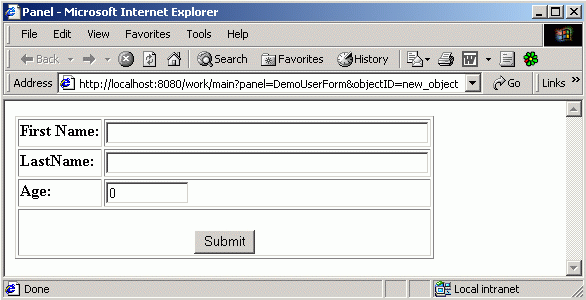
Here's the result:
|
Pay attention to the URL - that's how you should call it for adding a new User. When you'll fill in the fields and will press Submit - the new User will be saved automatically.
This form can also be used to edit info about existing users. You can do it like this :
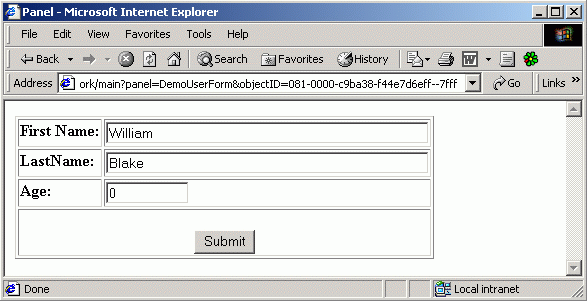 |
That's right - all that you need is to pass the ID of the User to the form as parameter. Pay attention again to the URL.
For successful compiling of tutorial examples you should add persistence.jar
to CLASSPATH.
persistence.jar is located in /WEB-INF/lib.