We already have the persistent object User. We'll create now a form for managing users. A form is almost the same as a panel. HTML forms are used to collect data. So if you want to collect some data - you may create a panel, and add the HTML form and all its fields by yourself. But there's no need to do that. You can use a form. Because our form is a front-end for HTML forms.
Let's create the form ManageUserForm.
We will just extend AbstractForm.
public class ManageUserForm extends AbstractForm {
}
Since AbstractForm is an abstract class - we should implement define() method.
public class ManageUserForm extends AbstractForm {

          public void define() {

              setType(Types.get("com.user.LibraryUser"));

              addObjectField("FirstName");

              addObjectField("LastName");

              addObjectField("Age");

              addObjectField("Address");

          }

      }
setType() method sets the type for LibraryUser objects. Type is an unique identifier for these objects in the database.
addObjectField() method adds one of the fields of our persistent object to the form. You don't need to specify any parameters that will be used to generate HTML form items - everything is done automatically.
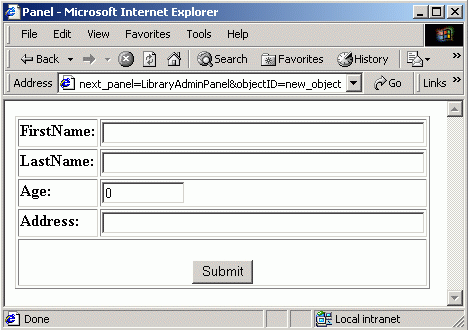
Now let's take a look at our form in the browser.
Use the following URL to access the form: "http://localhost:8080/work/main?panel=ManageUserForm&objectID=new_object&next_panel=LibraryAdminPanel"
objectID parameter is equal to "new_object", or may be equal to a real object ID. That's because we will use this form to add new users and to edit data of existing users.
LibraryAdminPanel is not ready yet, but we'll make it too a bit later.
You may say that you don't want to see "FirstName", but "First Name" in the form. No big deal, just take a look:
public class ManageUserForm extends AbstractForm {

          public void define() {

              setType(Types.get("com.user.LibraryUser"));

              addObjectField("FirstName").setDescription("First Name");

              addObjectField("LastName").setDescription("Last Name");

              addObjectField("Age");

              addObjectField("Address");

          }

      }
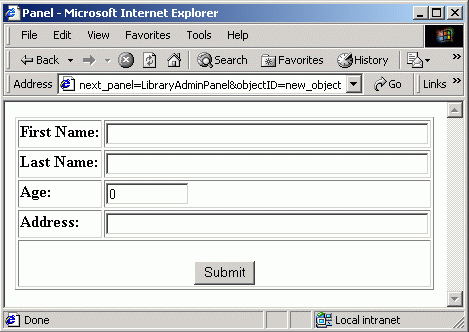
Look at our form in the browser now:
See the difference ? :-)
Now one quick question. You've read that all HTML form stuff is generated automatically. That's true. But the question is : what will be the name of the first INPUT item in the HTML form that was generated - FirstName or First Name ?
Try to find the right answer, it will help you to understand the difference between system data and just human-readable output.
If the question it's too hard - here's a hint : open the page source and look there. But again try to understand why this choice, and not the other one.